Deploying RAG Retail Knowledge Assistant for Product Sales Assistance with Agent Bricks
A shopping experience can be won or lost in moments on the sales floor. Customers often ask nuanced questions that go beyond what’s printed on packaging, requiring instant, accurate answers. Next-generation retailers like Big Cloud Dealz are using Databricks’ Agent Bricks to deploy real-time sales knowledge assistants accessible through simple text interfaces—sometimes just an SMS number. These conversational tools give sales associates immediate access to product details, pricing, availability, and specs, transforming product knowledge into faster, more confident customer interactions.
In this article I show you how to deploy an Agent Bricks knowledge assistant agent that can answer complex questions using many plain text product information documents as the source knowledge. Foundationally, under the hood, this is a form of "retrieval augmented generation" (RAG) coupled with large language model reasoning.
What is Retrieval Augmented Generation (RAG)?
Retrieval Augmented Generation (RAG) is an approach that gives large language models access to live, external knowledge so they can deliver more accurate, current, and business-specific answers. Instead of relying only on what a model learned during training, RAG retrieves the most relevant data from trusted sources—such as internal systems, reports, or market feeds—and injects that information into the model’s reasoning process. This “retrieval” step is what transforms a static model into a dynamic decision-support tool: it can pull the latest sales figures, policy data, or customer interactions before generating a response.
This means AI systems can finally reason with context — answering questions or making recommendations based on the most up-to-date information from across the enterprise. Retrieval ensures that insights stay grounded in reality, not stale training data, enabling more confident decisions in operations, finance, and customer strategy.
Reasoning Over Plain Text Documents
In our previous Agent Bricks article, its worth noting how we used a Genie space as our knowledge source. In this project we're building an agent similar to that Genie space but this time instead of querying Delta tables this agent is querying a volume of files' contents to find the correct text information.
The data this time is contained in raw text flat files where each file contains a product description, warranty, and usage guidelines per file. An example file contents are shown below.
**Product Summary: Thompson’s WaterSeal Advanced Natural Wood Protector**

product_id: 1002_00007

---

**Product Overview**
*Thompson’s WaterSeal Advanced Natural Wood Protector* is a high-performance *Wood Sealer* designed for landscaping professionals and outdoor surface specialists who demand reliable, long-lasting protection against moisture and UV damage. Formulated to enhance the natural beauty of wood while extending its lifespan, this product creates an invisible, breathable barrier that resists water penetration, mildew, and fading. Ideal for decks, fences, pergolas, outdoor furniture, and wooden structures exposed to the elements, the Advanced Natural Wood Protector ensures a clean, natural finish that highlights the wood’s grain without altering its appearance.

---

**Key Features and Benefits**

* **Advanced Water Repellency:** Forms a durable, hydrophobic barrier that repels water on contact, preventing cracking, warping, and splitting.
* **UV Protection:** Guards against sun-induced fading and discoloration, preserving the wood’s natural tone.
* **Mildew & Mold Resistance:** Inhibits fungal growth on the surface, helping maintain clean, low-maintenance wood.
* **Natural Look Finish:** Dries clear to showcase the wood’s grain and texture—ideal for clients who prefer an authentic, unstained appearance.
* **One-Coat Protection:** Delivers full coverage and weatherproofing in a single application, saving time and labor on large outdoor projects.
* **Quick Drying Formula:** Ready for light use in as little as 24 hours, depending on humidity and temperature.

---

**Technical Specifications**

* **Product Type:** Exterior Wood Sealer
* **Category:** Paints & Coatings
* **Brand:** Thompson’s WaterSeal
* **Unit Weight:** 7.9 lbs per gallon
* **Unit Cost:** $13.40
* **Suggested Retail Price:** $26.99
* **Coverage:** 150–250 sq. ft. per gallon, depending on wood type and porosity
* **Dry Time:** Touch-dry in 2 hours; fully cured in 24–48 hours
* **Recommended Application Temperature:** 50°F–90°F (10°C–32°C)
* **Finish:** Clear, natural look

---

**Surface Preparation and Application**

1. **Preparation:** Clean wood surfaces thoroughly to remove dirt, mildew, oil, and previous coatings. Use Thompson’s Wood Cleaner for optimal results. Allow the wood to dry completely before sealing (typically 48 hours after cleaning).
2. **Application:** Stir well before and during use. Apply using a brush, roller, pump sprayer, or pad applicator. Work along the grain and avoid pooling. Do not apply if rain is expected within 24 hours.
3. **Cleanup:** Clean tools and equipment immediately with soap and water. Dispose of excess product according to local environmental guidelines.
4. **Maintenance:** Reapply every 2–3 years, or when water no longer beads on the surface. Regular maintenance ensures continued protection and appearance.

---

**Safety and Environmental Information**

* **CAUTION:** Keep out of reach of children.
* Avoid contact with eyes and prolonged skin exposure.
* Use only with adequate ventilation. Do not apply indoors.
* Do not pour unused sealer into drains or waterways.
* Complies with U.S. EPA VOC requirements for exterior wood finishes.
* Store tightly closed in a cool, dry place, away from direct sunlight or freezing conditions.

---

**Warranty and Support**
Thompson’s WaterSeal guarantees satisfaction when used according to label directions. If performance issues occur, contact customer service for replacement or refund. For technical assistance, detailed instructions, or safety data sheets, visit [www.thompsonswaterseal.com](https://www.thompsonswaterseal.com) or call 1-800-367-6297.

---

**Intended Audience:** Professional landscapers, outdoor maintenance contractors, and property managers seeking a dependable, clear wood sealer that delivers superior protection, easy application, and lasting natural beauty for exterior wooden structures.
One thing "GenAI Agents" (e.g., LLMs) are good at is helping you reason over the right information with business rules and context and figure out what is important quickly. The RAG-part of things just injects the right context into the large language model prompt to ground answers in relevant facts. However, building these agents can be complex and involve platform engineering. To make this easy, we're going to use the Databricks Agent Bricks platform to build and deploy our agent.
Agent Bricks
The technical advantage of Databricks Agent Bricks lies in how it collapses months of complex AI system engineering into a governed, production-ready platform that runs natively in the lakehouse. Traditionally, standing up an enterprise-grade assistant required stitching together multiple components — vector databases, embedding models, chunking logic, role-based access, and feedback systems — all of which demanded deep MLOps expertise and constant tuning.
Agent Bricks abstracts that complexity, allowing organizations to deploy intelligent assistants directly on their structured and unstructured data within hours, not months, while maintaining full governance through Unity Catalog. This means CTOs and COOs can focus engineering resources on business-aligned data quality and workflow integration rather than infrastructure, gaining secure, scalable, and compliant access to enterprise knowledge — with the same lineage, access controls, and auditability that already govern their lakehouse.
The Databricks Agent platform gives enterprises a unified way to build and manage AI assistants directly on their governed data. Because it runs within the Databricks Lakehouse, every agent has secure access to accurate, up-to-date information across departments — from sales to operations — without data silos or duplication. Business users can simply ask questions in natural language and get reliable answers backed by enterprise governance, lineage, and audit controls. For management, this means faster insights, more consistent decisions, and an AI platform that scales safely across the organization.
Deploying Agents Faster with AgentBricks
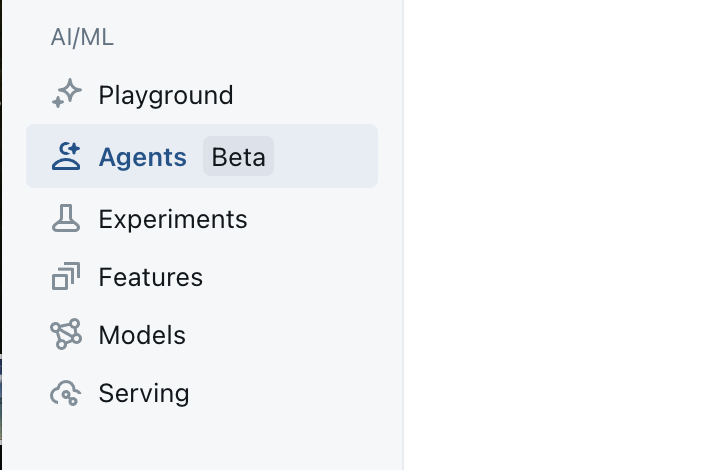
We start out by clicking on the Agent Bricks button on the left side toolbar as shown in the image below.
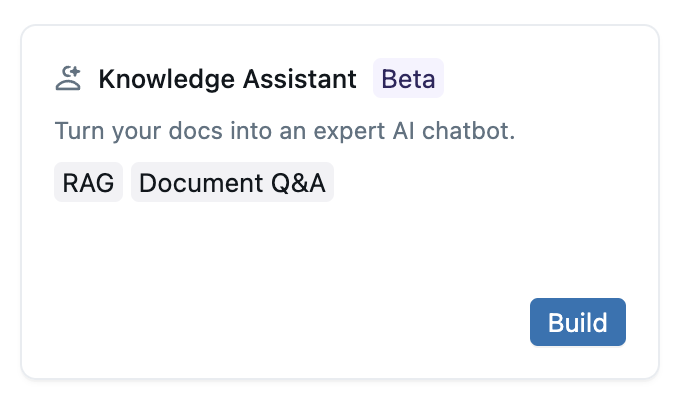
From there we'll be presented with a list of Agent Bricks templates for different types of projects. For this project we are going to select the Knowledge Assistant project type, as shown in the image below.
Design Notes for Our Knowledge Assistant System
We're using the Knowledge Assistant project type here because we want to map metadata terms to types of data sources and then allow the agent to select the right data source and then use an embedding to query for the correct document or document fragment in the data source. Once the agent has the relevent text information, it can then inject this text passage into a final prompt to answer the original question asked.
Keeping the Main Thing the Main Thing
The interesting thing about Agent Bricks is that we can use these other spaces and agents as "building blocks" in multi-agent systems to compose systems that can complete more complex multi-step problems.
This is something to keep in mind when building agents, because you never want to try and do "too much" in a single agent --- but instead build specific-purpose agents and then orchestrate them together with the Multi-Agent Supervisor.
With that in mind, let's get down to building out our Knowledge Assistant agent.
Knowledge Assistant Basic Info
LLM-based systems use text labels to make a decision between N different options as what to use next in a chain of steps. Agent Bricks uses LLMs under the hood to examine your configurations decorated with metadata to reason about how to use the resources provided in an efficient way to solve the problem.
This means that filling in metadata is a key step in configuring any LLM-based system.
In the screenshot below you can see how to name the application (LogisticsDecisionIntelligenceAnalyst) and then provide a description about where and how (e.g., the situation) the agent should be used.
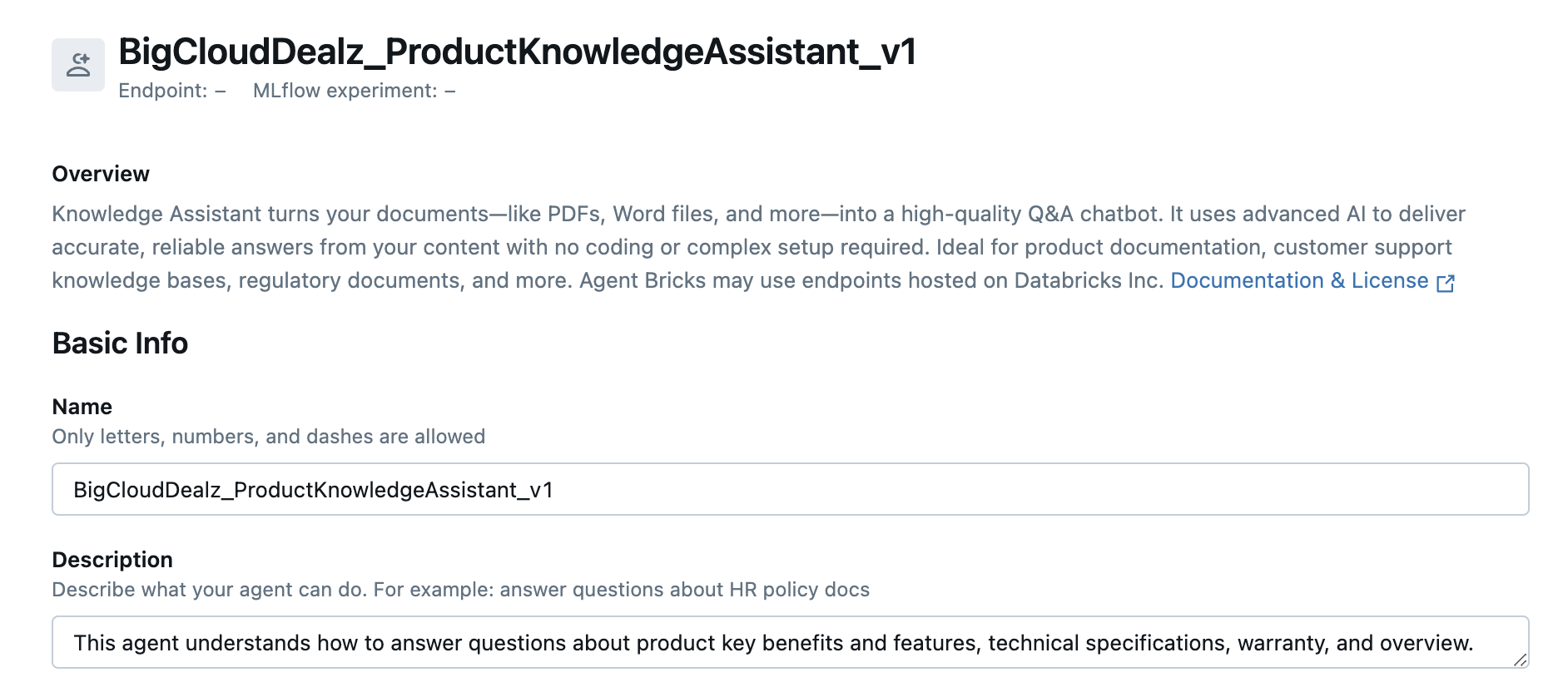
You should be verbose here, but you don't need to put all instructions as there are other configuration fields to tell your system how to act and respond to data and context. Let's move on to adding sub-agents that do the actual steps of your workflow.
Configure Document Sources
A good mental model of how the knowledge assistant project type in Agent Bricks works is to think of the knowledge assistant as a domain expect that can quickly and semantically search through large amounts of textual information and retrieve only the relevant portions of information. The knowledge assistant then injects this relevant text information into a prompt with the original question and the large language model reasons over it, producing an answer to the original question that is grounded in the correct facts.
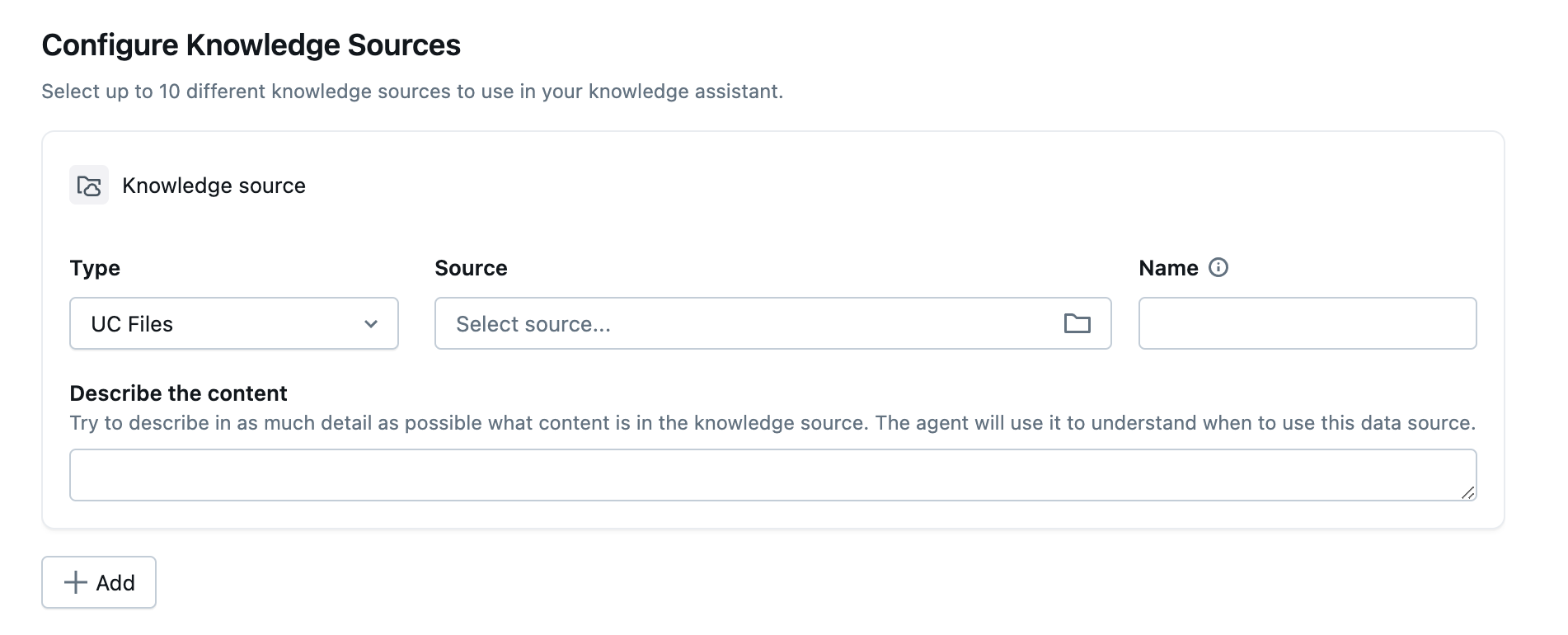
For this project we're going to focus on the UC Files type of knowledge source to power this agent.
Make sure and add a brief description to the knowledge source because this is how you're agent will evaluate whether to use this knowledge source in a specific type of question. This is especially helpful when you have multiple knowledge sources attached to a single agent, helping them to know which one to use per question. You can see the Configure Knowledge Source panel in the image below.
Click the "Select Source" drop down and you should navigate to the volume you uploaded your product information files into. Your view should look similar to image below.
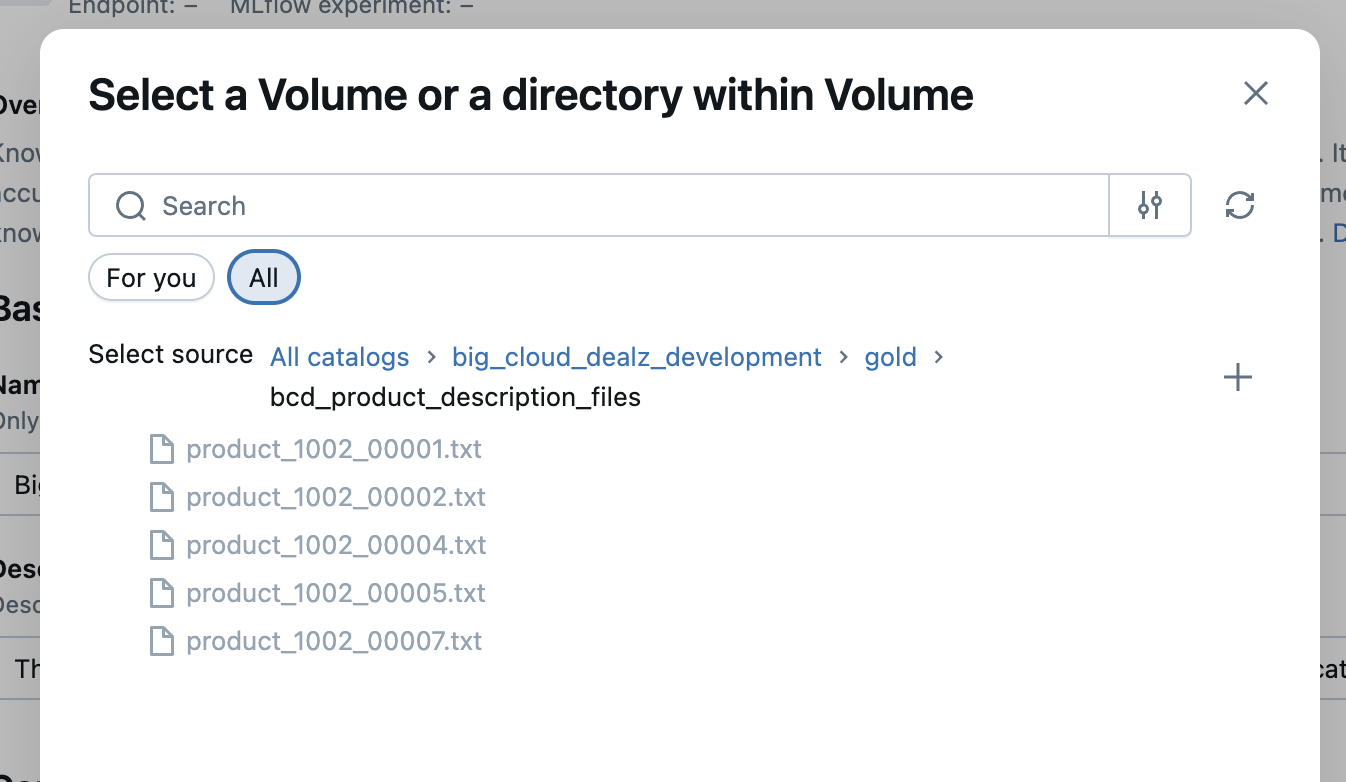
Select the parent directory of the files, and now we have our first knowledge source configured and ready to go.
The last step before we save and deploy this knowledge assistant agent is to add any prompt instructions that will be used in the step where the retrieved contextual data is processed with the specific question. In the image below you can see where we instructured the large language model to be "brief and concise".
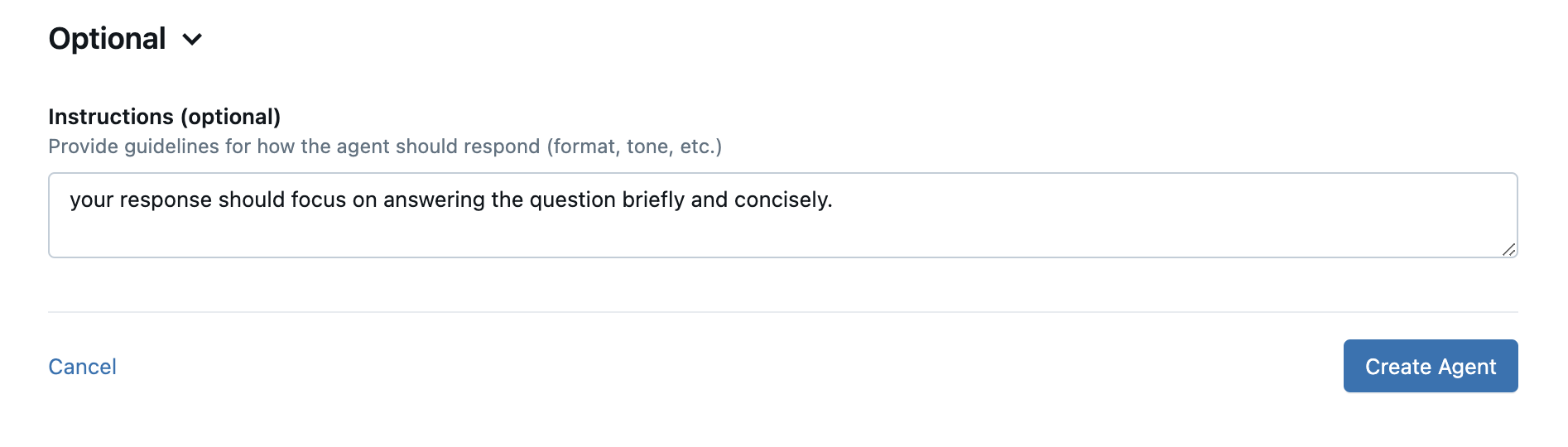
Hit the "Create Agent" button and it should take 2-3 minutes for the agent to be deployed as a MLFlow endpoint in your Databricks workspace.
Now that we have a handy retail product sales assistant, let's run some tests and see how it does.
Testing the Knowledge Assistant
In the playground area to the right, let's try the following question as seen in the image below.

So this is a direct question and if this agent is any good at all, it definitely should locate the specific product and warranty information needed --- if its worth anything at all. If you'll remember above, our sample product information had this specific product information and warranty information as seen in the shorten snippet below.
**Product Summary: Thompson’s WaterSeal Advanced Natural Wood Protector**

product_id: 1002_00007

...

---

**Warranty and Support**
Thompson’s WaterSeal guarantees satisfaction when used according to label directions. If performance issues occur, contact customer service for replacement or refund. For technical assistance, detailed instructions, or safety data sheets, visit [www.thompsonswaterseal.com](https://www.thompsonswaterseal.com) or call 1-800-367-6297.

---
The handy thing about the Agent Bricks playground is that it gives us debug information about "how the agent reasoned to its answer" if we "Thoughts" button (much like a bubble above a cartoon character's head).
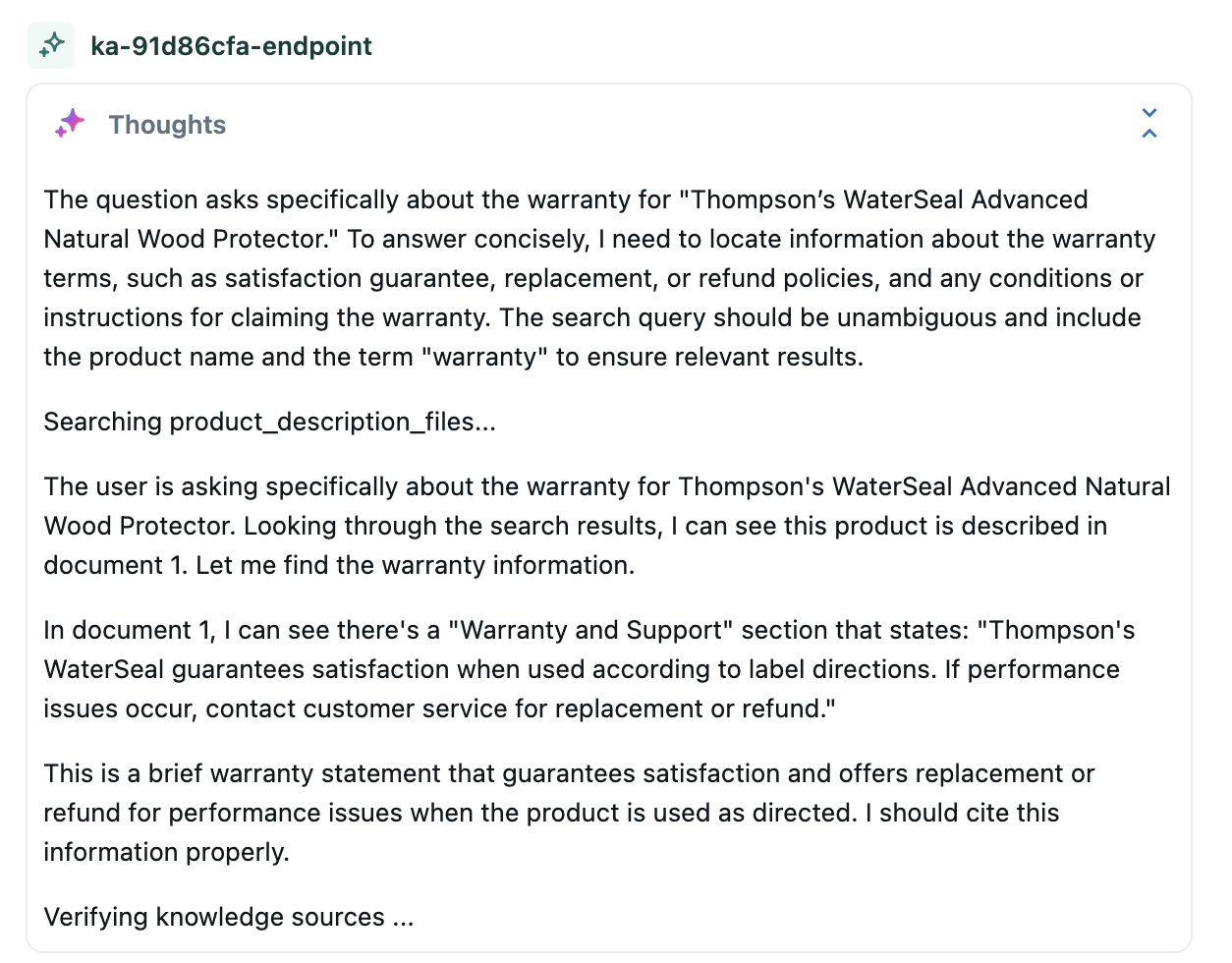
Looks interesting --- so now let's check out the final answer, as shown below.
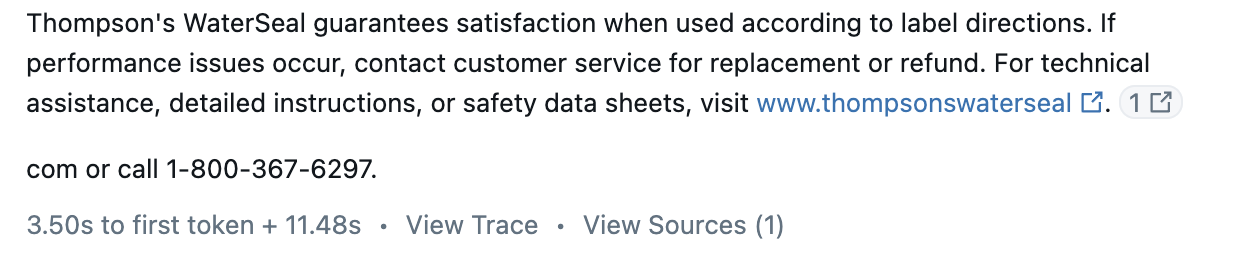
Outside of a HMTL-formatting issue in the UX, that answer matches what you'd logically expect after asking someone the same question and having them read the product warranty in the product instruction manual. So we'll call that a correct answer and a "win" for our product sales knowledge assistant.
So let's ask it one more question just to make sure that wasn't a fluke. This time I'm going to ask it about another product in the text files and I'm going to ask it a "common sense"-type question just to see what it will do. The question is seen in the image below.

Again, we can check out its thought process if we click on the "Thoughts" button, as shown below.
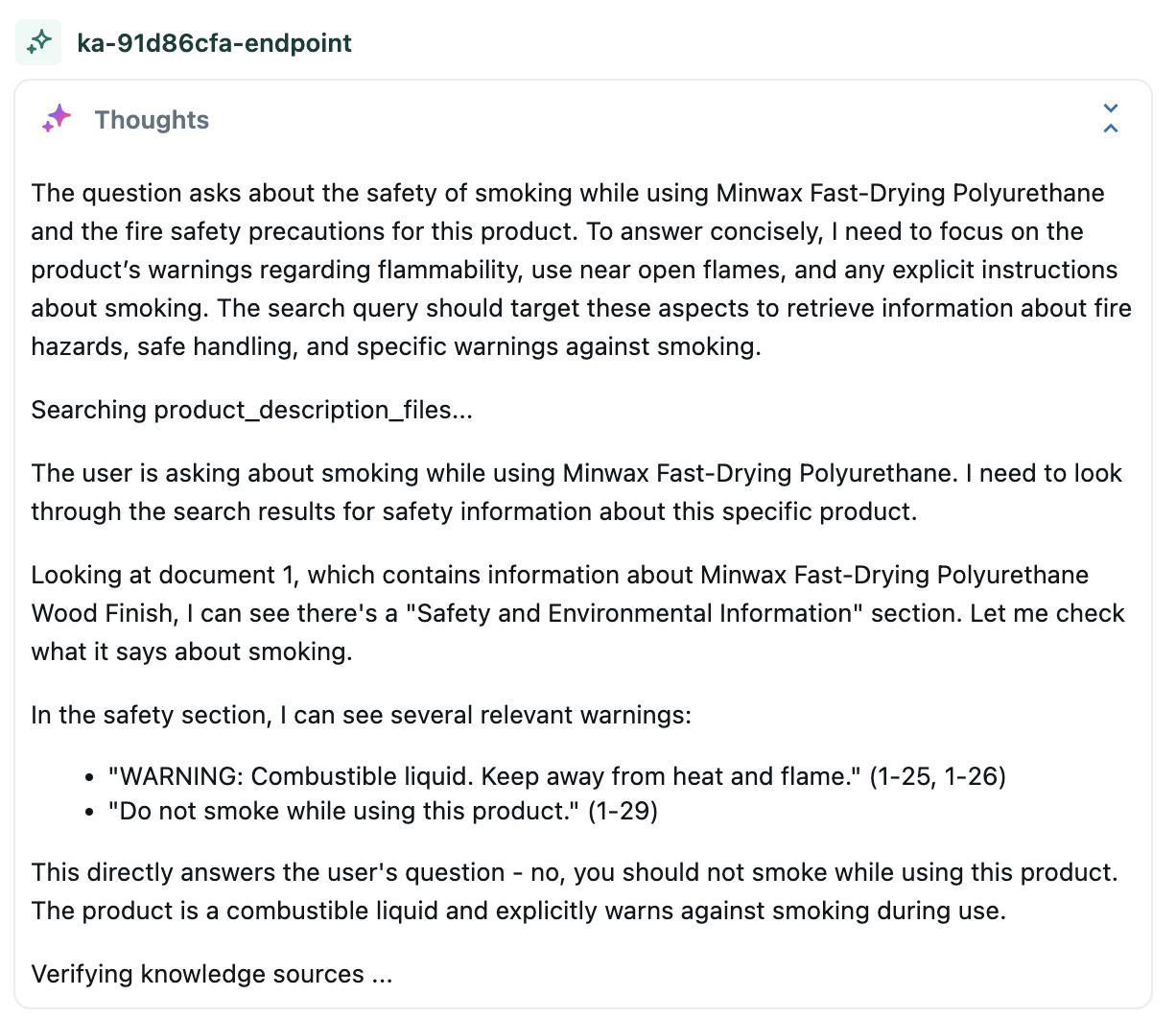
So, the agent got the correct product data and answered the question correctly. It also gets bonus points for not getting tricked by such a silly common sense question, as you can see in the answer below.
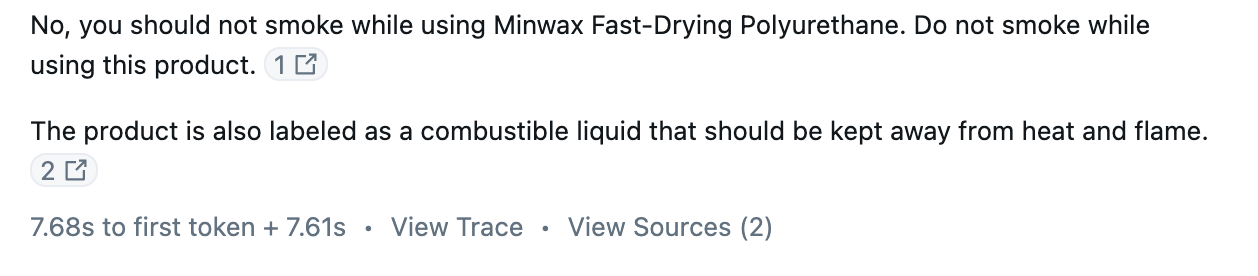
To validate that the agent looked at the correct text file to find the section of text, you can always click on the "source"-buttons embedded in the answer and it will send you the source file as a download. This allows you to manually check the source text so that you can compare it to the generated answer.
The Building Blocks of Faster Organizational Intelligence
In this article we showed you how to build a knowledge assistant agent that could help a sales person on the floor quickly quickly answer real-time detailed and nuanced questions about any product in the company.
This enhances the Big Cloud Dealz customer experience and allows shoppers to more effectively find the right product for their needs.
This is another building block of the decision intelligence system that Big Cloud Dealz is putting together, as we'll see in future Agent Bricks posts in this series.
Next in Series
Retail Supplier Logistics Contract Delivery SLA Information Extraction with Agent Bricks
...
Read next article in series